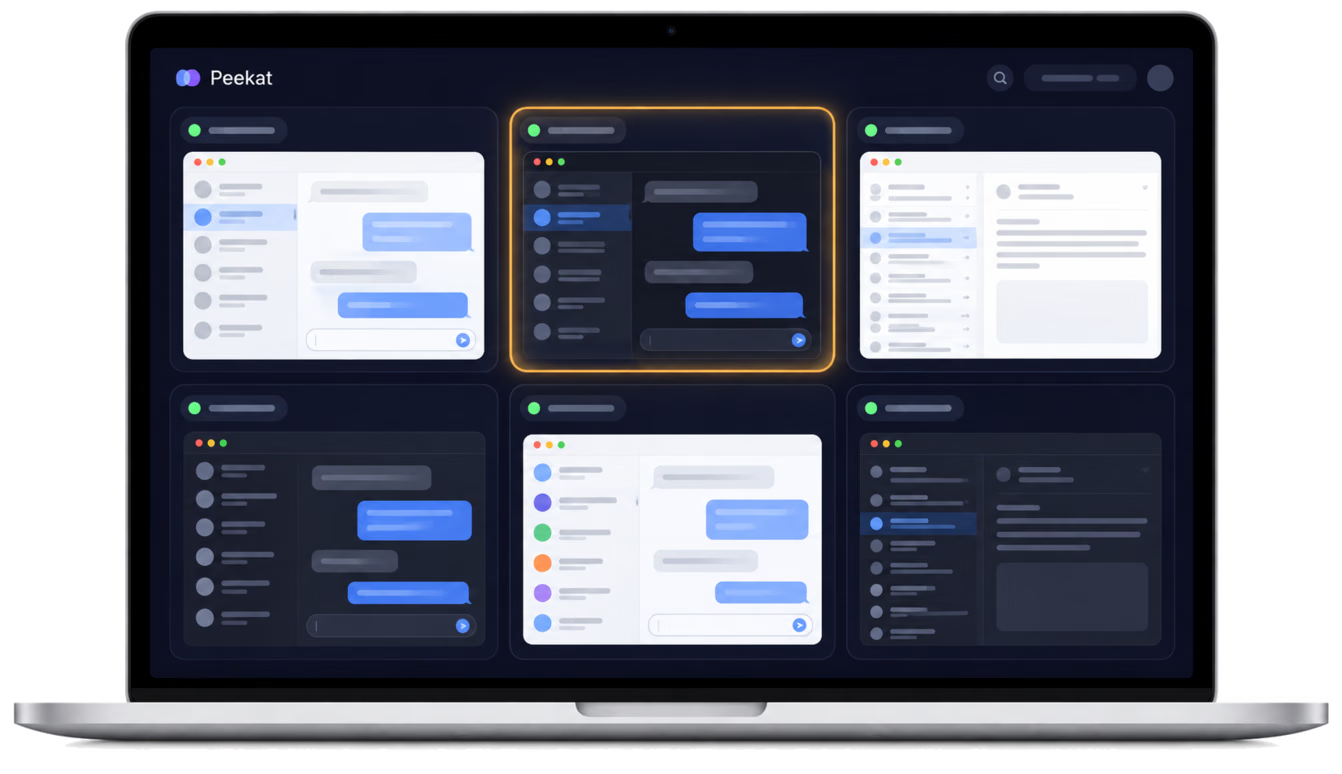
Peekat dashboard on a Mac showing several chat windows, one lit up with a new message
Mac focus tool
See every message at a glance. Reply when you choose.
When you work across several displays, the windows you watch end up scattered everywhere. Just checking for new messages means dragging your mouse from screen to screen and hunting through windows, and your train of thought goes with it.

Peekat gathers up to six windows into one dashboard that waits quietly on your second display. When a window changes, its tile lights up. Only your eyes need to move: glance over, then decide. Switch over if it matters, or finish what you are doing first.

Peekat is built and maintained by the Larvata team, born from our own daily back-and-forth between displays.

FEATURES

FEATURES

  • Gather

    Windows from every display, together on one dashboard
  • Notice

    A tile lights up quietly when its window changes
  • Zoom

    Zooms into the newest part, readable at a glance
  • Private

    Everything stays on your Mac. Nothing is recorded or uploaded
  • Gather

    Windows from every display, together on one dashboard
  • Notice

    A tile lights up quietly when its window changes
  • Zoom

    Zooms into the newest part, readable at a glance
  • Private

    Everything stays on your Mac. Nothing is recorded or uploaded
HOW IT WORKS
Three simple steps
Windows from several displays gathered onto one dashboard
The mouse stays on the main display while the eyes check a lit tile on the dashboard
Quiet tiles fade into the background while you focus on your own work
  • Pick the windows you care about,
    and gather them on one dashboard

  • Keep your mouse on your work,
    and glance when a tile lights up

  • Switch over when it matters,
    and handle the rest at your own pace

SUPPORT
Help & contact
Requirements: macOS 12.3 or later.

The first time you use Peekat, allow it under System Settings > Privacy & Security > Screen Recording so it can show the windows you choose. Peekat only reads the windows you pick in the app. Everything is processed on your Mac and nothing is recorded, saved, or sent anywhere.

Questions or suggestions? Email us at info@larvata.tw, or reach us through our contact page.

Read our privacy policy.
Have an idea you want to build? Contact us.
INTERESTED IN COLLABORATION? CONTACT US NOW